
Writing / Applied AI & knowledge systems
I tried ChatGPT’s new dot: what changes when AI becomes a personal assistant?
A first-hand test of one continuing conversation across projects: where coordination helped, where task ownership and evidence still needed checking, and how to judge the result.

ChatGPT’s dot adds a useful coordination layer for ongoing work: one conversation in which to steer several jobs, revisit decisions and check results. In my evaluation, the real test was whether it could preserve task ownership, use the right evidence and report progress accurately. It showed useful continuity, alongside clear limits that still required human judgement.
For digital, marketing and analytics work, running several tasks at once is only part of the requirement. Each task needs a defined outcome, reliable sources and a clear next owner. An assistant that loses those details can create more work even while producing plausible answers.
I evaluated dot against three practical criteria: whether unrelated jobs remained easy to steer, whether it understood the original request and current responsibility, and whether it revised a conclusion when challenged with evidence. That gives a more useful account of its value than an unmeasured claim about hours saved.
What is ChatGPT’s dot?
OpenAI describes a dot as an agent for ongoing work across tools and projects. It can keep working between conversations, coordinate tasks in parallel and create separate task threads while you keep talking to it. A dot has its own cloud computer and browser. Work using your connected computer depends on that computer being online with the ChatGPT app open and the relevant access enabled. OpenAI’s overview 1, task guide 2 and computer guide 3 explain the distinction.
OpenAI announced dots in its 29 September 2026 DevDay update 4, with a gradual rollout to eligible accounts. Availability and capabilities may differ by account and setup.
That is the product description. My experience below is narrower: using one continuing conversation for project organisation, task review, photography and writing. It does not establish that a dot will remember every detail or have access to every local tool.
A practical model: an AI chief of staff
A useful way to think about a dot is as an AI chief of staff. You give it responsibilities and priorities; it can divide work among task-focused agents, bring their results together and return to you for decisions. ChatGPT Work and Codex are among the task environments it can use. That is a practical model for the relationship, rather than a claim about its internal architecture. OpenAI’s task guide 2 describes these coordination capabilities.
The distinction needs care: ChatGPT Work and Codex can also plan, use tools and delegate to agents. Parallel work is not exclusive to dot. What matters for this evaluation is the continuing responsibility across jobs and conversations. OpenAI documents the overlap in its ChatGPT guide 5 and subagent guide 6.
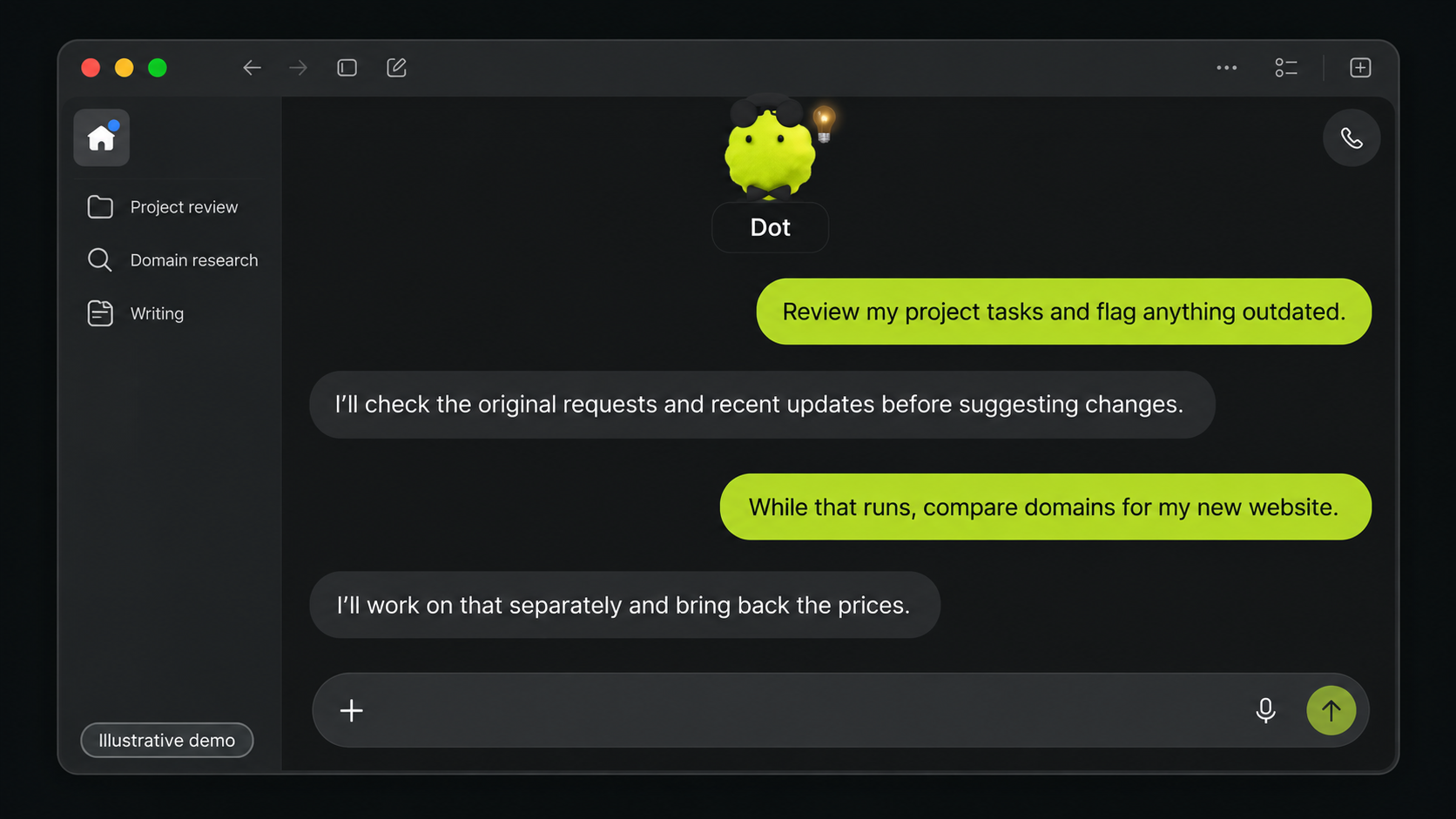
One conversation, different kinds of work
In the same ongoing conversation, I asked for an audit of how my work projects and files were organised. I also asked for a review of my photography Instagram archive, looked into domain options for a separate venture, and developed ideas for my website Writing section. Those requests called for different evidence and different outputs. I did not want the answer to a domain question buried inside a file audit, or a writing draft treated as a completed publication.
Those jobs could proceed separately while I continued the conversation. I could return to a finding, question it or add a constraint without waiting for every other job to finish. The evaluation therefore focused on the handoff: which question was being answered, where the result would appear and whether a decision was waiting for me.
An ongoing conversation provides one place to steer the work. Each job still needs its own scope and evidence. The assistant is helpful when it keeps both levels clear. If it says “done”, I need to know whether that means it researched an option, saved a draft, changed a task or verified a live result.
Task ownership mattered more than a tidy list
The work-project audit also tested whether the assistant could interpret tasks and email with a long history. A task title can lag behind the work it describes. An email can be an assignment, an update or a handoff. I kept asking: Who asked for this? What was the original job? What has already been done? Whose court is it in now?
Those questions changed the proposed action. Sometimes there was something for me to do. Sometimes another person had the next move. Sometimes my contribution was complete, although the wider project remained open. Grouping tasks by a shared word made the list look neat; grouping them by the actual outcome made it useful. I also pushed back when the assistant built a detailed task tree before the underlying request had been clarified.
In my setup, the task handoff crossed Mail, OmniFocus and project knowledge. I wanted the right task captured or updated, its source link verified, and only then the represented email archived. The sequence matters because an archived email without a sound task can lose the work, while a captured task with the email still in the inbox leaves two competing queues. This was my workflow, not a promise that every dot has these apps or performs that sequence by default.
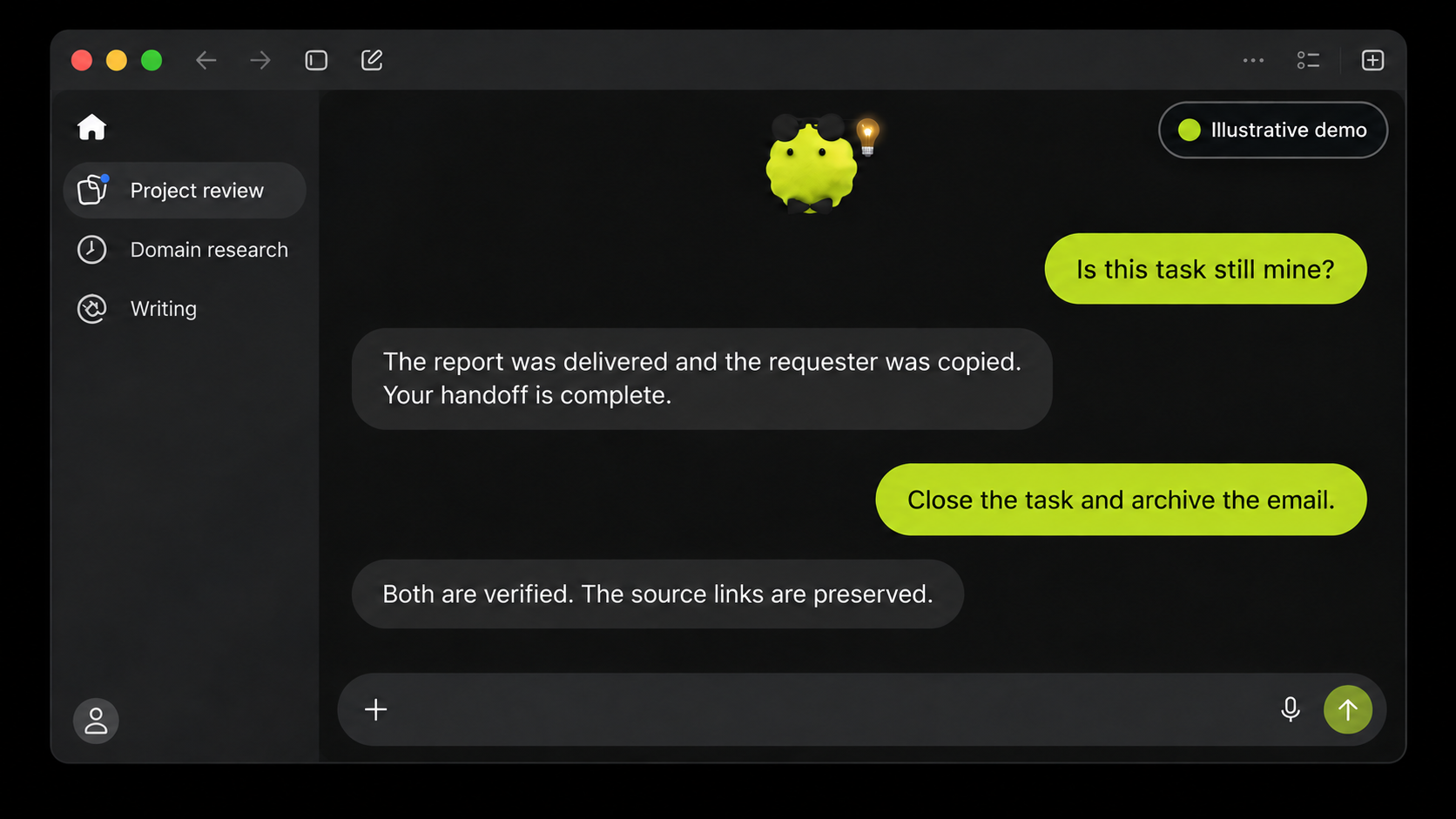
I cannot put a time saving on that work from this trial. The more useful test is whether the right obligations are visible, their sources survive, and the rest can safely leave my attention.
A dashboard review showed why evidence still matters
One review exposed the limit of a plausible answer. The assistant initially described differences in dashboard filter totals and data scope as defects. I challenged the conclusion and asked it to compare the original brief with the documented behaviour of the tool. On that evidence, the alleged error was not demonstrated. The report was accepted without treating the first diagnosis as a finding.
The correction matters because a defect finding needs to survive comparison with the original brief, the tool’s documented behaviour and the acceptance criteria. A plausible explanation is insufficient. In this case, I supplied the challenge that prompted that comparison. The assistant could revise its conclusion, but the initial judgement still needed supervision.
Where dot still needed supervision
The experience had friction. In my setup, some local screen controls I expected to use were unavailable despite working on a connected Mac. Progress was not always visible enough; I sometimes had to ask, “Is it done yet?” I also had to repeat important context, including whether a task was mine and whether a request was still active.
OpenAI’s controls guide 7 describes built-in safeguards, app permissions and approval checks, plus an Activity view for reviewing work. These controls are relevant when choosing what access to allow; they do not replace checking a result.
Those gaps matter more when an assistant works across several projects. Its own cloud work and work on my Mac have different boundaries. A continuing conversation does not remove the need to show what has been read, changed and verified. When a tool is unavailable, I need an honest explanation and a useful next step. When a source changes the answer, I want the conclusion revised.
How other assistants organise the work
The relevant comparison is less about which chatbot gives the best answer and more about how each product organises ongoing work. In my use, a dot has become a continuing point of coordination: I can discuss priorities while delegated tasks run, then review the results. OpenAI documents that pattern, including parallel agents, a cloud computer and tasks on a connected personal computer. The chief-of-staff analogy describes the working relationship rather than a guaranteed level of judgement. OpenAI’s task guide 2
Grok Bot presents a related idea through multiple named AI teammates. Its documentation describes bots working in parallel, exchanging context and using a persistent cloud computer, with connectors and browser interaction. That suggests a different organising emphasis: several continuing roles rather than one principal assistant coordinating the relationship. This is a reading of the product design, not a performance verdict. Grok Bot overview 8
Meta positions Muse around personal goals, connected apps and continuing work on a dedicated cloud computer, with approval before actions such as sending email or purchasing. Meta’s Muse announcement 9 At the time of checking, Grok Bot was listed in Australia’s App Store 10, subject to account and plan eligibility. Australia was not included in Meta’s latest announced Muse rollout 11, which listed the US, Canada and Mexico.
The practical tests are continuity, usable tool access, clear permission boundaries and how much checking finished work needs. These competitor descriptions come from their vendors, not my own testing.
How I would test an AI personal assistant
A practical evaluation should cover three things:
- Coordination: Give the assistant two unrelated jobs with clear outcomes. Check whether you can change the direction of one without confusing the other.
- Responsibility: Use a real task with history. Require the original request, current state, next owner and source evidence before it changes a record.
- Judgement: Ask it to substantiate a consequential conclusion against the brief and documented behaviour. Check whether the conclusion changes when the evidence warrants it.
For digital, marketing and analytics work, that is the test I would start with: whether an assistant can keep the original request, the evidence and the next owner aligned.
My assessment is that dot offers a useful way to coordinate ongoing work across projects. Its value depends on keeping each job understandable, making decisions visible and supporting conclusions with evidence. Those are the standards I would apply before giving any AI personal assistant broader responsibility.
Sources14 references
Evidence & further reading
Product documentation, store listings and historical film records checked on 2 October 2026. Vendor descriptions of competing assistants are not first-hand tests.
- 01
OpenAI
What are dots? - 02
OpenAI
Dot tasks and memory - 03
OpenAI
Dot computers and apps - 04
OpenAI
DevDay 2026 update - 05
OpenAI
Use ChatGPT - 06
OpenAI
Subagents - 07
OpenAI
Dot controls - 08
- 09
Meta
Introducing Muse - 10
Apple App Store
Grok Bot Australian listing - 11
- 12
Apple / Internet Archive
Knowledge Navigator (1987): concept film and transcript - 13
- 14
Hugh Dubberly
The Making of Knowledge Navigator